
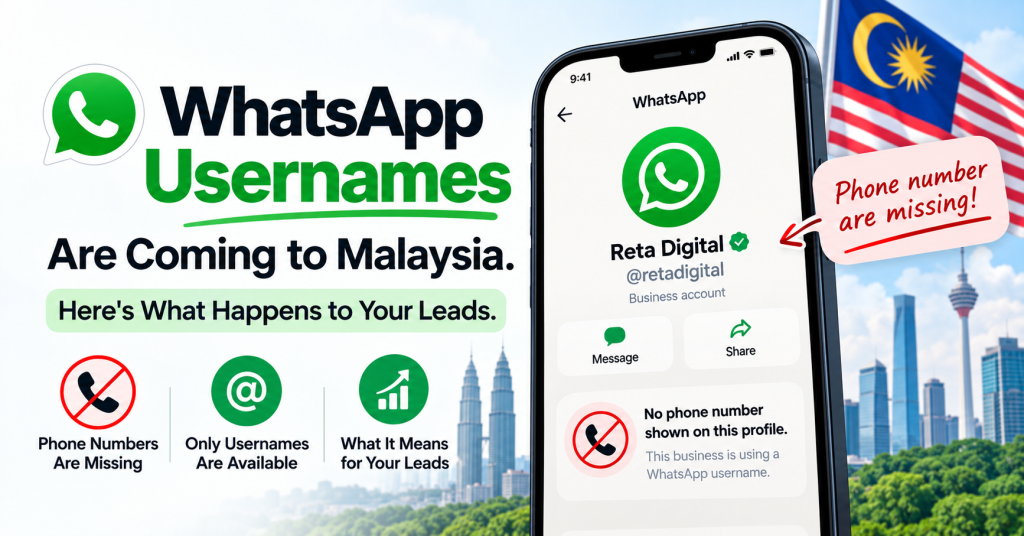
If you run ads that land in WhatsApp, a change is coming that most Malaysian business owners haven’t heard about yet. Customers will be able to message you without ever showing their phone number.
Your business is fine. Your phone number stays visible, your wa.me links keep working, nothing on your side disappears. What changes is the data you get back from every new enquiry — and if your sales follow-up runs on a phone number saved into a spreadsheet or a phone contact list, that’s the part worth reading about.
What is a WhatsApp username?
A WhatsApp username is an optional handle, like @limhardware, that a person can use instead of their phone number. When they message you for the first time, you see the handle. You do not see the number.
WhatsApp is rolling this out country by country and it hasn’t reached Malaysia yet. Usernames are also opt-in, so nobody wakes up one morning with their number hidden. Adoption will build gradually, and younger, more privacy-conscious customers will move first.
Does this hide my business phone number from customers?
No. The privacy works one way only. Customers can hide their number from you. You cannot hide yours from them, and your business profile doesn’t change.
This is worth saying twice, because the version of this story going around WhatsApp groups is that businesses will disappear. They won’t. Every existing link, QR code, Google Business Profile listing and click-to-WhatsApp ad you have keeps working exactly as it does today.
So what actually breaks?
Four things, and they break at different speeds:
| What you lose | What it affects | How soon you’ll feel it |
|---|---|---|
| The number in a new chat | Saving the lead, calling them back | Immediately, on affected leads |
| Phone number as your record key | Your leads spreadsheet or CRM — returning customers look like brand new leads | Within weeks |
| Contact list for broadcasts | WhatsApp blasts, festive promos, follow-up campaigns | Builds up quietly over months |
| Uploading customer lists to Meta | Customer list audiences and lookalikes for your ads | Slowest, and the one nobody notices |
That last row is the slowest and the most damaging. There’s no error message. Your ads keep running, your reports look normal, and the list you upload to build lookalike audiences just gets a little thinner every quarter as more of your buyers stop handing over a number. A year from now, performance is worse and nothing in the account explains why.
The second row causes a subtler problem. A repeat customer who has adopted a username may show up in your system as a fresh lead. Your lead count goes up, your cost per lead looks better, and you’re making budget decisions on numbers that quietly changed meaning.
Will I lose the customers I already have?
No. Anyone whose number is already saved in your phone or your database stays exactly where they are. Nothing gets deleted and nothing gets hidden retroactively.
This is a new enquiry problem, not an old customer problem. Which is exactly why it’s worth preparing for before it arrives rather than after.
Fix 1: Ask for the number, but give a reason
The simplest fix is to ask. The mistake is asking badly. “Can I have your phone number?” as the opening line, to someone who just deliberately hid it, reads like a scam.
Attach the number to something the customer wants:
- “Boleh share your number? Senang kami hantar quotation and follow up on delivery.”
- “Can I get your contact number so I can send the invoice and arrange installation?”
- “Sure, I’ll check stock for you. What’s the best number to update you on?”
The number arrives as a side effect of service instead of a data grab. Under Malaysia’s PDPA you should be able to say why you’re collecting it anyway, so building the reason into the sentence solves two problems at once.
Then make it a rule, not a hope. Put the exact wording into the automatic greeting message in your WhatsApp Business app settings, so it happens on every new conversation including the ones your staff handles at 9pm on a Saturday. Set it to send to everyone, since first-time enquiries are exactly the group affected.
One thing to watch: a greeting message only fires on new or long-dormant chats. It won’t repeat at people mid-conversation, so your team still needs to ask manually when a customer skips past it.
Fix 2: Retargeting doesn’t need a phone number at all
Here’s the relief. If you want to run ads at people who messaged you, you never needed their phone number in the first place. Meta already knows who they are.
Inside Meta Ads Manager you can build a custom audience from people who engaged with your business, including everyone who sent a message to your WhatsApp. The list fills itself. No spreadsheet, no upload, no number.
How to build it
- Open Meta Ads Manager and go to Audiences.
- Click Create audience → Custom audience.
- Under Meta sources, choose WhatsApp account. Create Facebook and Instagram engagement audiences separately so you can use them independently.
- Select the WhatsApp Business account connected to your ads.
- For the event, choose everyone who has sent a message to your business.
- Set the retention window. 365 days is the maximum and suits a considered purchase. For fast-moving retail, 90 or 180 days keeps the audience fresher.
- Name it something you’ll recognise in six months, then create it.
- Let it fill for a few days before using it. A brand new audience often starts too small for Meta to deliver against.
It’s free, it takes about ten minutes, and it makes usernames irrelevant for the entire retargeting half of the problem. Menu names in Ads Manager change every few months, so if a label looks different, look for the closest wording rather than assuming the feature is gone.
Two catches worth knowing. These audiences live inside Meta and can’t be exported, so you’re renting the list rather than owning it. And they look back a maximum of 365 days, so someone who enquired 14 months ago is gone. Useful, but not a replacement for a database you control.
Fix 3: Use Lead Ads when the number matters more than the chat
If your sales process genuinely cannot work without a phone number — you quote by phone, you deliver, you install — then collect the number before the conversation starts. Meta lead ads put a form in front of the chat, and the number comes in whether or not the person uses a username.
The trade-off is real and you should go in with your eyes open. Filling a form is easier than starting a conversation, so lead volume usually goes up and lead quality usually goes down. And unless the campaign is set up carefully, every lead lands in your system labelled only as a form submission, with no record of which ad produced it. You’ve solved the phone number problem by creating an attribution problem.
Lead ads work well for high-value, slow-decision purchases. They work badly for impulse and low-ticket items where the conversation is the sale.
Fix 4: Collect the number on your own landing page first
Instead of sending ad traffic straight into WhatsApp, send it to a landing page with a short form. The customer fills in their name and number, and only then continues the conversation on WhatsApp.
You add a step, so fewer people convert. What you get in return is a phone number and an email that belong to you, sit in your own system, can be uploaded to Meta for lookalike audiences, and survive whatever Meta or WhatsApp changes next.
The last decade of digital marketing has been a slow lesson in not building your business on rented land. That trade looks better every year.
What to do now
- Reserve your business username when it becomes available. Check your WhatsApp settings for a Username option. If it isn’t there yet, the rollout hasn’t reached your account. Match your existing Instagram or Facebook handle so customers recognise it.
- Switch on engagement-based custom audiences in Meta Ads Manager so your retargeting stops depending on phone numbers.
- Rewrite your WhatsApp greeting message to ask for the number with a reason attached.
- Add a second identifier column to your leads sheet or CRM, so a returning customer isn’t counted as a new one.
- Check how you tag your ads. If you can’t already tell which ad produced a lead without looking at the phone number, fix that first. Everything else depends on it.
None of this is urgent today. All of it is cheaper to do now than after your leads start arriving without numbers.
Frequently asked questions
Will customers still see my business phone number?
Yes. Business profiles are unchanged and your number stays visible. Only customers can choose to hide theirs.
Do my existing wa.me links and QR codes still work?
Yes. There’s no need to rewrite existing links, and rewriting them can break the tracking you already have.
Can I still retarget people who message me on WhatsApp?
Yes, through engagement-based custom audiences in Meta Ads Manager. These don’t use phone numbers, so usernames don’t affect them.
Will my existing customer database be affected?
No. Numbers you already have stay as they are. The change affects new enquiries from people who choose to use a username.